
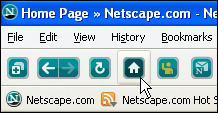
 Although it hasn't seen a major update in well over a year, the Netscape browser is about to get a makeover, according to a teaser posted to the Netscape blog. Version 9.0 of the software, which AOL reincarnated in 2005, is due in the coming months.
A number of things are already known about Netscape 9. Most notably, the browser will have deep integration with the new Netscape.com user-driven news site that debuted last year and mirrored the functionality of Digg.
Also, developers say it will remain a standalone product built atop Mozilla's Firefox code base; it will not contain a mail client or Web page editor. Instead, the browser will integrate a number of different Firefox extensions that relate to Netscape.com, including a Friends' Activity Sidebar and Sitemail Notifier.
The new browser will now be cross-platform, compatible with Windows, Mac OS X and Linux. Smaller features are getting focused on for 9.0, such as a redesign of Netscape's FTP view.
When it was first reborn, the Netscape Browser was intended to be a friendlier version of Firefox, adding more privacy features and phishing protections, as well as the option to render pages using Internet Explorer's Trident engine for compatibility. The software included a "Trust Rating" system that warned users of potentially dangerous Web sites.
Tuesday, February 06, 2007
 Netscape Browser 9.0 to be released shortly


Monday, February 05, 2007
Keyboard Shortcut to hide or show Quick Tip for Columns in Excel
Select one or more fields and click CTRL + 0 (zero) to hide or show the selected column(s).
How to Search Whole File in Microsoft Excel
To search the whole file – not just the current sheet – go to the Find and Replace window (Ctrl + F), click Options and next to Within, select Workbook.
How to stop the blinking LED in BlackBerry devices
The blinking LED (Light Emitting Diode) common to most BlackBerry devices can be a source of great annoyance.
To stop your BlackBerry's light show, navigate to Main Menu, Options, Screen/Keyboard and set the LED Coverage Indicator to Off.
How to Run Windows Control Panel items directly
To run specific Control Panel items without running the Control Panel, all you need to do is run the relevant *.cpl file: for example, to open the Display Properties window directly, click Start, Run and then enter Desk.cpl and click OK.
You can also right-click Control Panel applets (under Start, Control Panel) and select Create Shortcut to add a shortcut to your desktop.
Microsoft also provides a brief summary of *.cpl files under A Description of Control Panel (.cpl) Files.
How to view Word documents in Full Screen Split
To view all open Word documents in a single parent window sharing a common set of menus and toolbars, navigate to Tools, Options, View and in the "Show" section, clear the checkbox next to "Windows in Taskbar".
Click View, Full Screen, to view your documents without the clutter of screen furniture such as menus and toolbars (point mouse to top of screen to view menus).
Press Esc or click Close Full Screen in the Full Screen box to exit.
Sunday, February 04, 2007
Launchy ::Open programs at a Key Stroke::
Here's a cool freeware which can be used to open programs at a touch of a few keys.
Launchy is a free windows utility designed to help you forget about your start menu, the icons on your desktop, and even your file manager.
Launchy indexes the programs in your start menu and can launch your documents, project files, folders, and bookmarks with just a few keystrokes!

Saturday, February 03, 2007
Picnik :: The Online Free Photoshop Competitor

Here's a very very cool website I found (www.picnik.com). This is the FREE / ONLINE photo editing software.
What's so cool about Picnik is :
- No need to install any software.
- The entire photo-editing is done online.
- Free - So NO need to purchase any of those costly softwares.
Check the website and see how much fun it is to get your photo's edited online for free.
Yet another simple way to install IE7 without Windows Genuine Advantage (WGA) Checks
Most of you have read my earlier post to install IE7 without Windows Genuine Advantage (WGA) Checks (How to install Internet Explorer 7(IE 7) without any WGA checks and How to avoid windows genuine advantage(WGA) checks - Insiders Guide ) but I just found another cool and easy way to do it. Here's the trick.
All you need to do is edit the hosts file that is in system32\drivers\etc of your windows installation and add the following line to it(in red>>): 127.0.0.1 mpa.one.microsoft.com
This redirects all request to mpa.one.microsoft.com back to your computer. This is the address that used to perform the WGA check.
Check your Documents And Settings/All Users/Application Data folder and delete the folder Windows Genuine Advantage if it exists. Once this is done start the installation of the Internet Explorer 7 and click on Verify during the installation. The connection to the Microsoft server will be redirected to your computer and the installation continues unhindered.
The same trick works for the installation of the Windows Media Player 11 too.
Motivation and Self-Development - A Few Tips
The Ups and Downs
You will not always be motivated to succeed. We all have our ups and downs, and expecting anything different will create frustration and anger. We all get upset, encounter setbacks, and have bad days, but here's the secret: you can visit, but just don't live there.
Your Contribution
What are you going to contribute to the world after you have gone? Living an extraordinary life requires thinking beyond yourself and giving back to the world in some way. What will your gift to the world be?
Be Grateful for What You Have
Take time out of each day to be grateful for the things you have in your life. Simply being alive and well is an amazing gift - anything more is just icing on the cake. Appreciate what you have and you will discover a renewed passion to achieve the desires you have yet to experience.
Starting in the Right Direction
You may not realize it, but you've already taken a massive step toward success. Simply reading these words demonstrates your desire to enhance the quality of your life. Now that you've taken the first step, keep it going day after day, month after month, year after year.
Enjoy the Ride
While you're working your tail off to create a better life for you and your family it's important to enjoy the experience and not just focus on the outcome. It's like taking a road trip through beautiful country with your eyes closed thinking only about the destination. You'll miss out half the joy of success if you forget about the experience of it all.
How Long Will You Wait?
It's Decision Time. Get going!


